AI
AI-Chat Engine
Your AI replies instantly with context using the custom instructions and data for each number. It handles questions, pricing, and FAQs and hands off to a human when required.

Stackly gives you a clean way to send messages, run small campaigns, and chat with customers using AI from your own computer and WhatsApp number.
Your AI replies instantly with context using the custom instructions and data for each number. It handles questions, pricing, and FAQs and hands off to a human when required.
Send personalized broadcasts to thousands with variables, media attachments, timed delays, and opt-out handling for clean and safe delivery.
Manage multiple numbers from one dashboard. Each number has its own name, AI setup, flows, bots, and live status for organized multi-brand work.
Import contacts from CSVs, WhatsApp chats, groups, or Excel. Stackly keeps only active WhatsApp numbers and builds a clean, targeted database.
Create reusable templates in text, media, button, or list formats with variables and personalization. Use them for launches, drops, flows, campaigns, and follow-ups.
Run Stackly as a Windows app or on a VPS like DigitalOcean. Your numbers, data, and AI stay private with no shared inboxes or external servers.
Get WhatsApp-style interactive buttons to your messages letting customers visit product pages, navigate flows, or trigger AI actions with a tap.
Automatically detect unsubscribe requests, use custom keywords, exclude opted-out contacts from future sends, and let contacts opt back in whenever they choose.
For advanced users, manage Proxy6.net proxies directly inside Stackly. Configure, assign, and monitor proxies to keep multi-number setups stable and secure.
Set up auto-replies using keyword triggers, time-based rules, and conditions: welcome & away messages, and FAQ responses to handle common questions without AI.
Create multi-step AI conversations with a visual flow builder. Add message, question, condition, and action nodes to branch logic, capture responses, and trigger actions or APIs.
Automatically send WhatsApp messages when you receive calls. Customize the message, set time rules, add exceptions, and handle missed or after-hours calls automatically.
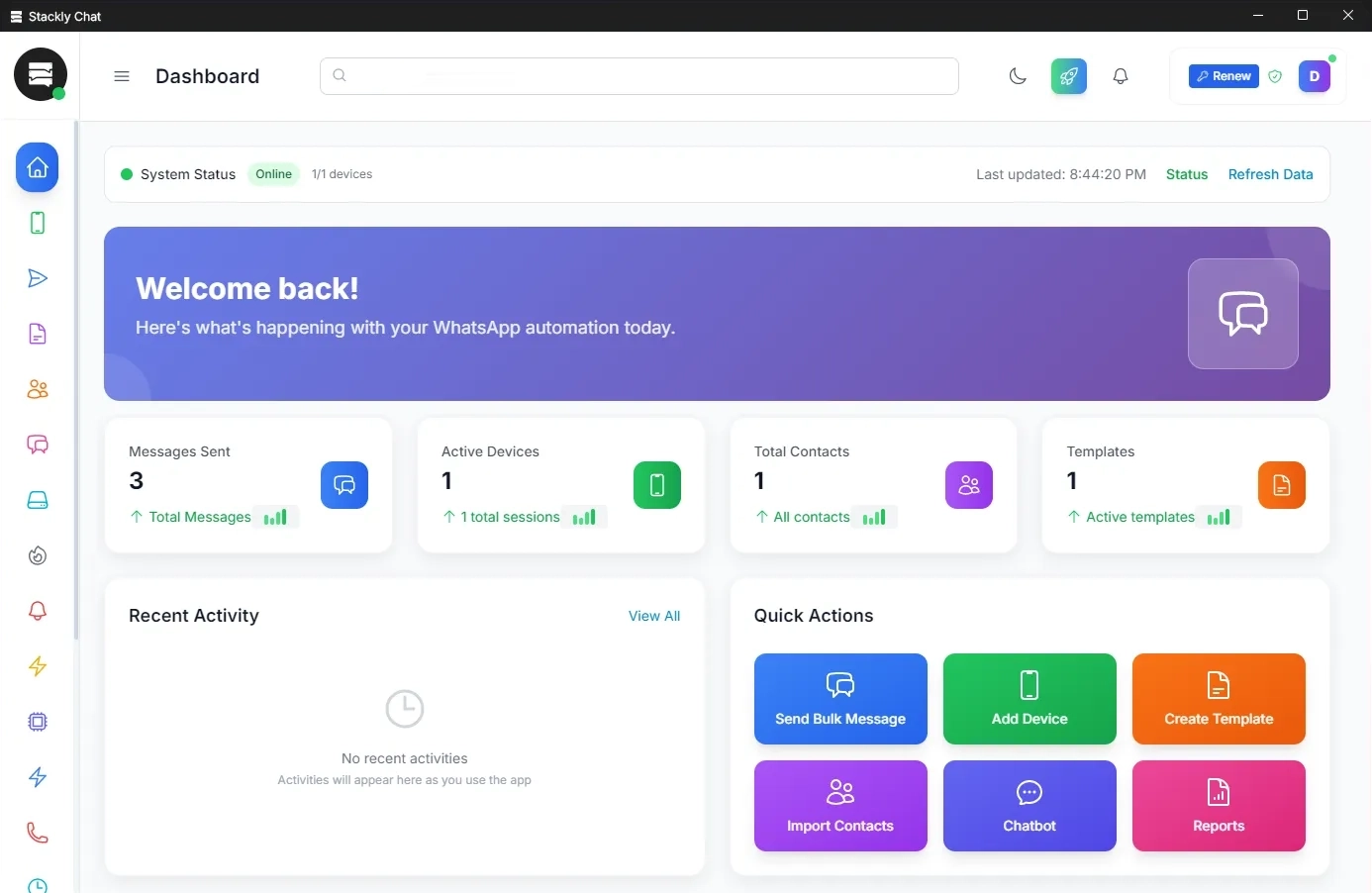
Install Stackly on your Windows machine or VPS, open WhatsApp Web or Desktop, and scan the QR code to connect. You can add multiple numbers and each one becomes its own Stackly channel.

Import contacts as a simple name and phone table. Stackly cleans and prepares your data so you can start sending broadcasts immediately, even before turning on AI.
Set your OpenAI API key, then assign a custom prompt and token limit to each number. Stackly uses these settings to deliver accurate, contextual AI replies across all connected numbers.
$45 – one-time payment
No subscription. No renewal.
Pay once and use it as long as you want.